
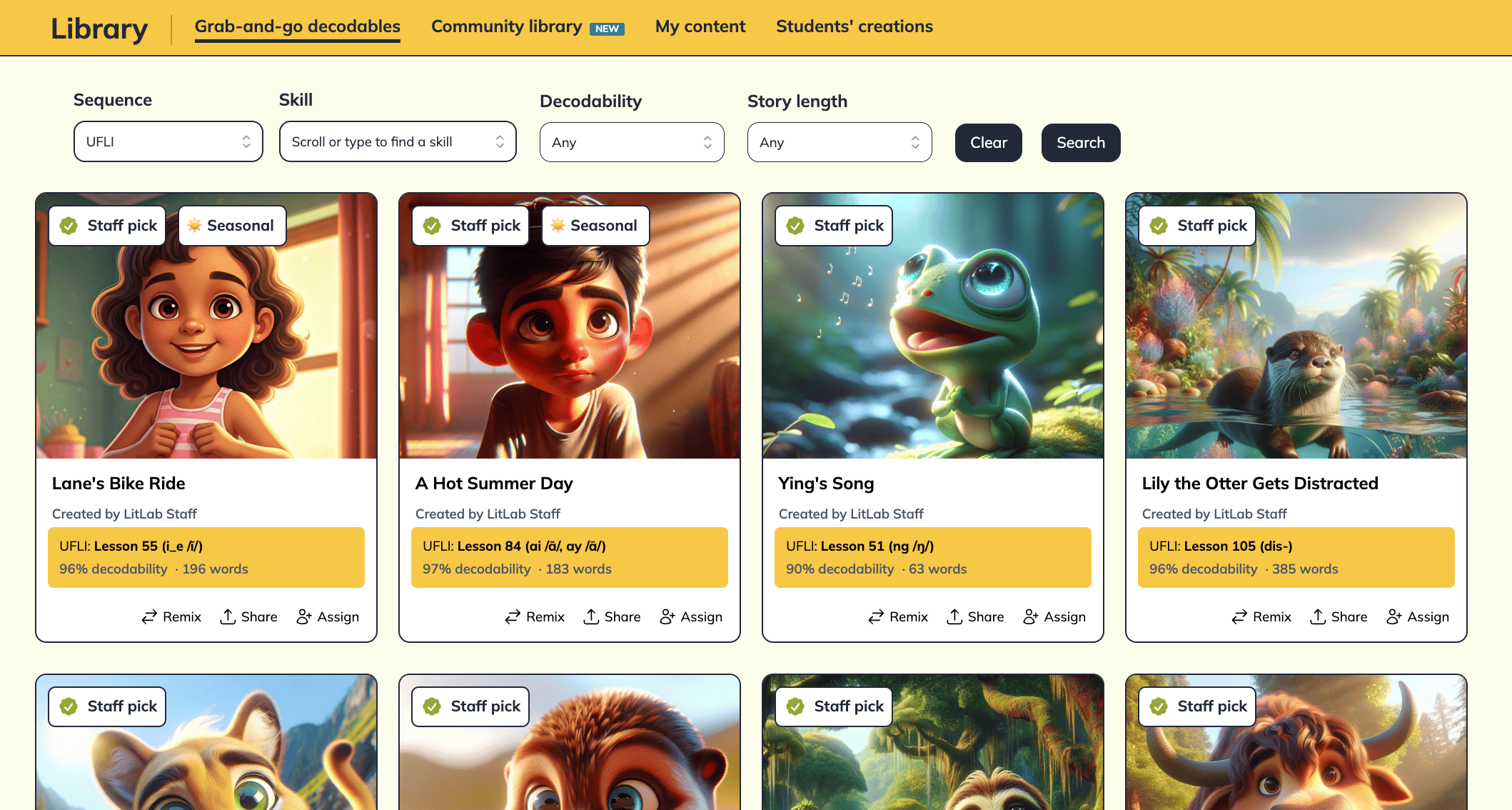
What’s in the gallery
- Curated by LitLab’s literacy team
- Aligned to a specific phonics program and lesson
- Current programs include:‡ UFLI, Fundations, CKLA, Reading Horizons, Benchmark, or SuperKids
- Includes staff picks, themed collections, non-fiction texts, and seasonal stories
How to browse
1
Open the Grab-and-Go library
Under Educator Tools, click Library.
2
Filter by program
LitLab pre-selects your default scope and sequence. Switch programs from the dropdown if needed.
3
Pick a lesson or skill
Browse by current lesson and scroll to a target skill.
4
Preview and assign
Click any story to preview pages, decodability score, and word list. Click Assign to send it to your students or Print using various print layouts.
Filter Options
Phonics program
Phonics program
Defaults to the program you’ve selected as your default. Switch between programs if you teach across sequences (e.g., a Tier 2 interventionist supporting students from multiple classrooms). Current programs include:‡ UFLI, Fundations, CKLA, Reading Horizons, Benchmark, and SuperKids.
Lesson / Skill
Lesson / Skill
The most-used filter. Select your lesson to find stories aligned to what students have already learned. The majority of words are decodable, using previously taught skills, while the target skill appears frequently for meaningful practice.
If a lesson isn’t available to select, we’re still working on adding stories for that skill.
Decodability range
Decodability range
Set a minimum decodability % (e.g., 90%+) when you want maximally supportive text for a struggling reader.
Story length
Story length
Short (under 100 words), medium (100–250), long (250+). Match length to your student’s skills and stamina. Great for differentiating practice at the same skill.
Can’t find a story? Try broadening your search by loosening the Decodability or Story Length filters.
When to use the gallery vs. the generator
Use the Library when:
You want quality content fast, with texts carefully reviewed by literacy staff.
Use the Generator when:
You want a story about a specific character, student interests, and custom vocabulary words.