
Download the Getting Started Guide
Perfect for printing and handing out to staff at PD meetings, coaching sessions, or team planning.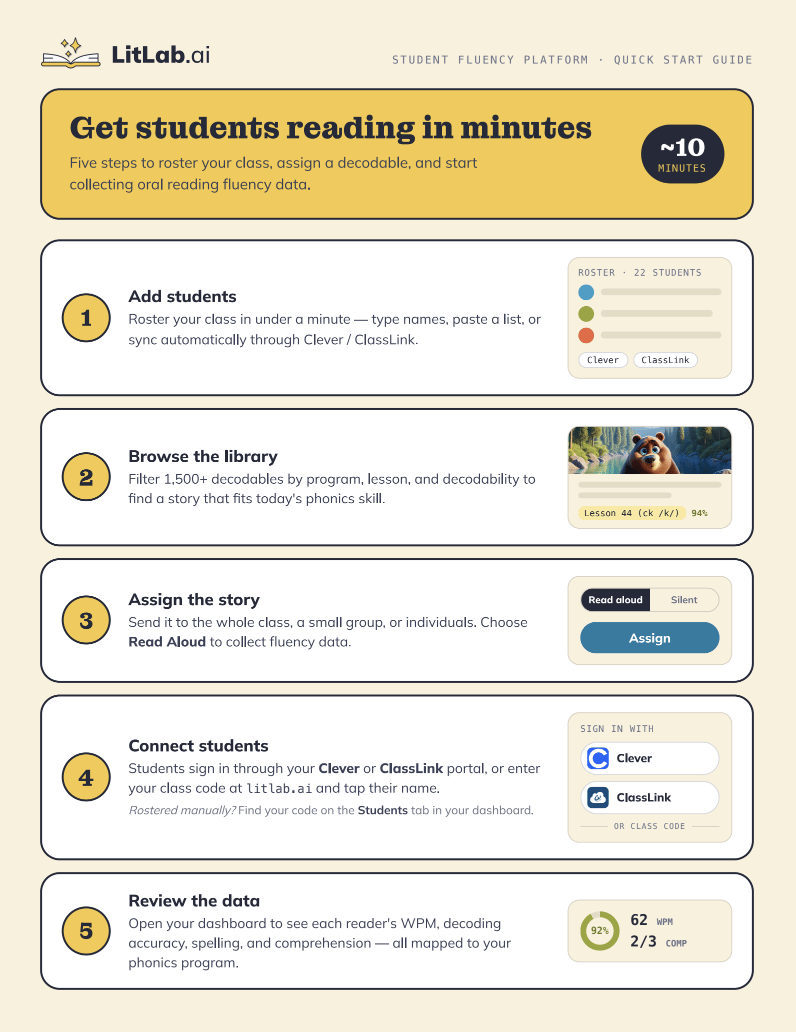
Want automatic progress monitoring? Premium Full Access includes unlimited AI fluency analyses for every Read Aloud assignment, giving you a complete view of student growth. Free users and Premium Educator Access include 5 AI analyses per week.
1
Add students
Roster your class in under a minute — type names, paste a list, or sync automatically through Clever or ClassLink.
2
Browse the library
Filter 1,500+ decodables by program, lesson, and decodability to find a story that fits today’s phonics skill.
3
Assign the story
Send it to the whole class, a small group, or individuals. Choose Read Aloud to collect fluency data.
4
Connect students
Students sign in through your Clever or ClassLink portal, or enter your class code at litlab.ai and tap their name.
5
Review the data
Open your dashboard to see each reader’s WPM, decoding accuracy, spelling, and comprehension — all mapped to your phonics program.
Need more detail?
Walk through full account setup, rostering options, and classroom configuration here.