> ## Documentation Index
> Fetch the complete documentation index at: https://help.litlab.ai/llms.txt
> Use this file to discover all available pages before exploring further.

# Clever & ClassLink

> Printable step-by-step guides for setting up LitLab with Clever and ClassLink to sync your class roster, assign decodables, and get students reading fast.

Printable one-page guides for teachers whose district uses Clever or ClassLink. Share them at PD, drop them in a staff Slack, or print them for your team. More guides coming soon.

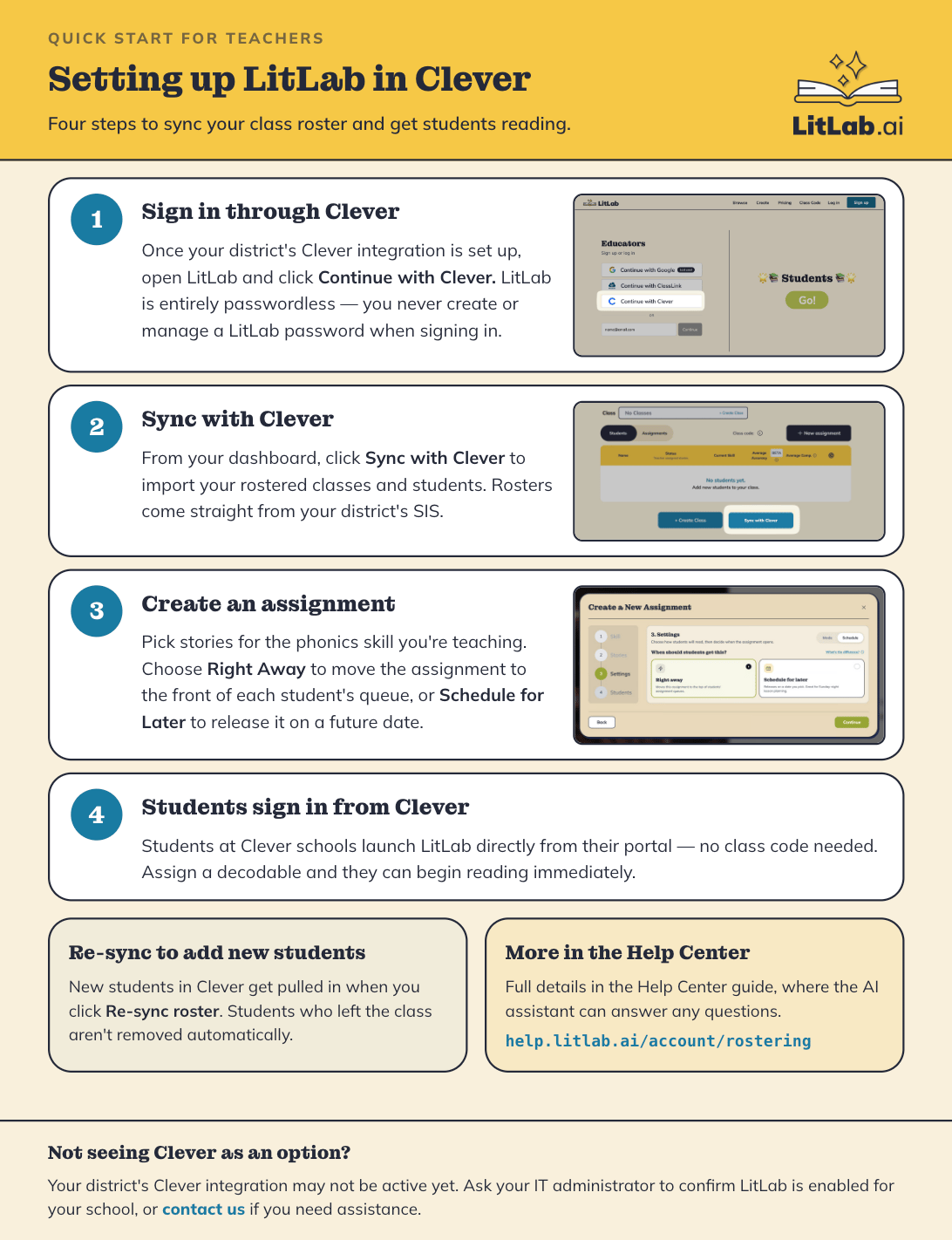
<Card title="Setting up LitLab in Clever" horizontal href="https://drive.google.com/file/d/1VTpzOEEKFSl22XJFZfWbSmQcmAMWnKHv/view?usp=sharing">
  Four steps to sync your class roster and get students reading.
  <img src="https://mintcdn.com/litlab/6XOSFvlYyLTBQ8Vo/images/Screenshot-2026-08-24-at-12.09.42-PM.png?fit=max&auto=format&n=6XOSFvlYyLTBQ8Vo&q=85&s=6639f818bcc0ba6d108b083b261b82cf" alt="Screenshot 2026 08 24 At 12 09 42 PM" title="Screenshot 2026 08 24 At 12 09 42 PM" lightAlt="Setting up LitLab in Clever" darkAlt="Setting Up LitLab in Clever" className="dark:hidden" width="1092" height="1422" data-path="images/Screenshot-2026-08-24-at-12.09.42-PM.png" />

  <img src="https://mintcdn.com/litlab/6XOSFvlYyLTBQ8Vo/images/Screenshot-2026-08-24-at-12.09.42-PM.png?fit=max&auto=format&n=6XOSFvlYyLTBQ8Vo&q=85&s=6639f818bcc0ba6d108b083b261b82cf" alt="Screenshot 2026 08 24 At 12 09 42 PM" title="Screenshot 2026 08 24 At 12 09 42 PM" lightAlt="Setting up LitLab in Clever" darkAlt="Setting Up LitLab in Clever" className="hidden dark:block" width="1092" height="1422" data-path="images/Screenshot-2026-08-24-at-12.09.42-PM.png" />
</Card>

<Note>
  Looking for full setup details? See [Clever & ClassLink: SSO and Rostering](/account/sso-and-clever) in the Help Center.
</Note>
