> ## Documentation Index
> Fetch the complete documentation index at: https://help.litlab.ai/llms.txt
> Use this file to discover all available pages before exploring further.
# Generate Printable Phonics Activities in LitLab
> Turn any phonics skill into a printable worksheet. Sentence Fluency Pyramid and Fill in the Blank are live in beta, with more activity types on the way.
The **Activities** tab (found on the **Generator** page) lets you generate standalone printable worksheets aligned to any phonics skill. Pick a skill, generate a PDF, and print.
Printable Activities are currently in **BETA**. Generations are unlimited while in beta, for both Free and Premium accounts.
## Available Activities
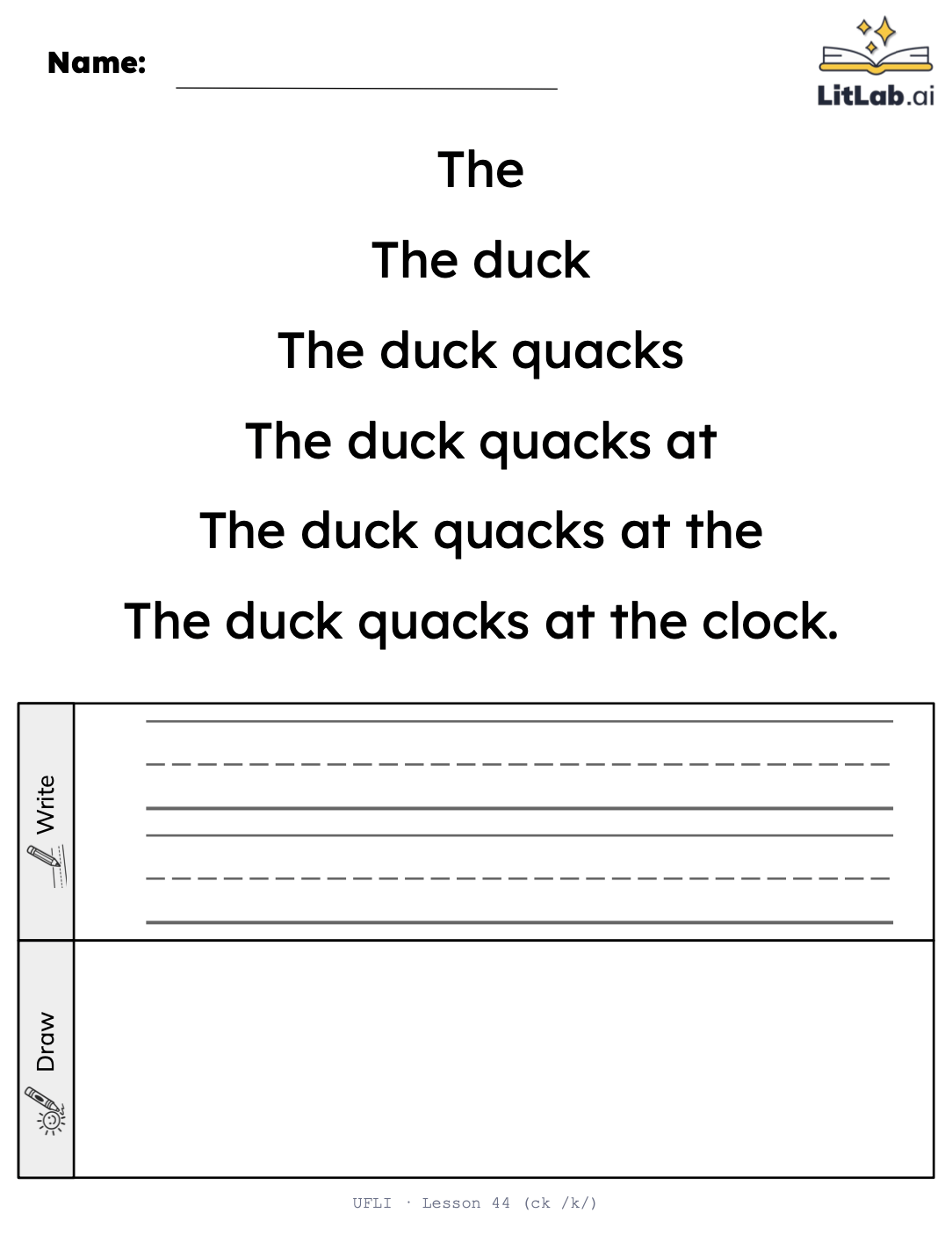
A one-page worksheet that builds a decodable sentence line by line, for repeated-reading fluency practice.
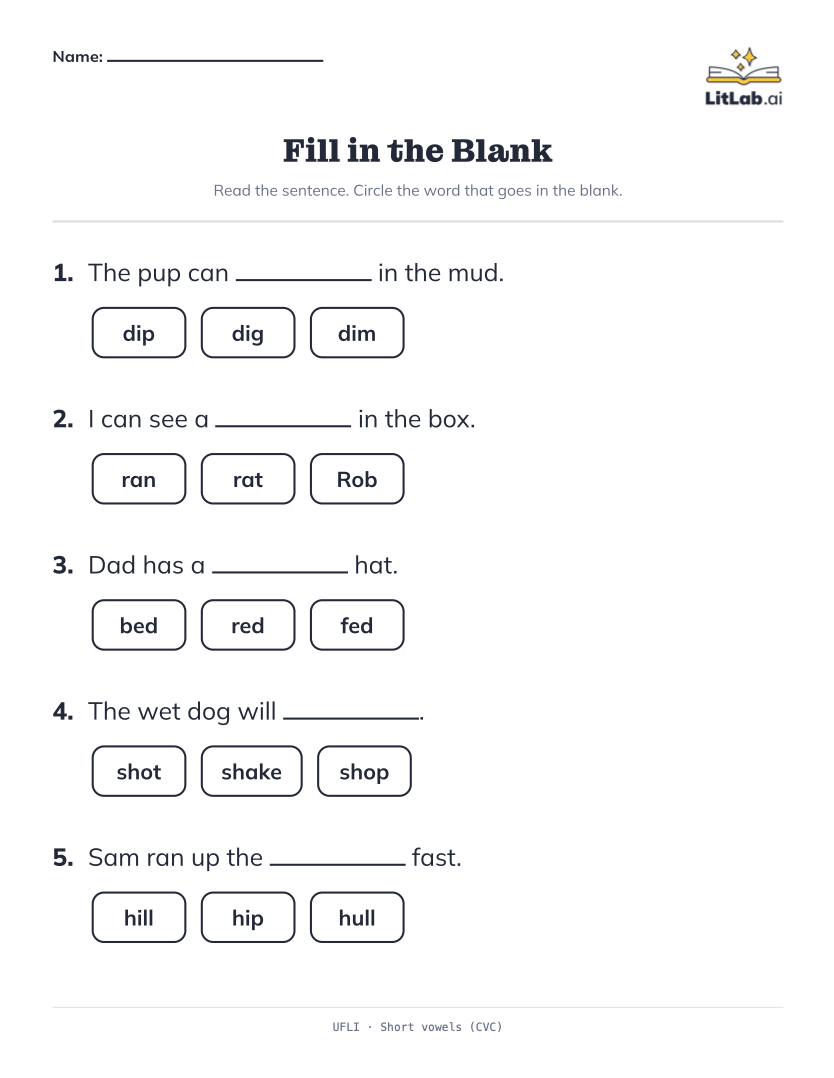
A MAZE-style worksheet with 3–5 decodable sentences, each with one blank and three answer choices — students pick the word that fits.
Coming soon.
Coming soon.
Want to see a specific activity type prioritized? Email [support@litlab.ai](mailto:support@litlab.ai).
## Generating an Activity
From the Generator page, click the **Activities** tab (next to Decodables).
Pick **Sentence Fluency Pyramids** or **Fill in the Blank** — the others are marked "Coming Soon."
Choose the phonics program and skill the worksheet should align to.
LitLab's AI does its best to build every sentence around target-skill words while keeping the writing natural and coherent.
Add one word you want included — try a student's name or a bonus vocabulary word.
Click **Generate**, then **Preview & Print** to open the PDF in a new tab. Make sure pop-ups are allowed. You must be signed in to print, and printing uses a weekly print credit on Free accounts.
## The "Sentence Fluency Pyramid" Format
Each pyramid builds a single sentence across 4 to 6 growing lines, starting short and building up to the full sentence. The AI does its best to only include words that are decodable up to the skill you choose, so nothing on the page falls outside what your students have already been taught (the sentence should include at least 1 target skill word). If you add a custom word, it's woven into the sentence somewhere in the pyramid.
Because each line builds on the words before it, students naturally re-read the same words again as the sentence grows — repeated reading built into a single page, no extra copies needed.
 ## The "Fill in the Blank" Format
Each Fill in the Blank worksheet includes 3–5 decodable sentences, each missing one word. Students choose from three options: the correct answer and two phonetically similar distractors—near-misses like *dip / dig / dim* or *hill / hull / hip*. Each sentence should be decodable up to the skill you chose and include at least one target skill word.
This design is intentional. Because the distractors are just as decodable as the correct answer, students must decode *all three* options and use the meaning of each word to determine which one makes sense in the sentence. The result is phonics practice and reading-for-meaning in the same worksheet.
A ready-made answer key is included on page two.
## The "Fill in the Blank" Format
Each Fill in the Blank worksheet includes 3–5 decodable sentences, each missing one word. Students choose from three options: the correct answer and two phonetically similar distractors—near-misses like *dip / dig / dim* or *hill / hull / hip*. Each sentence should be decodable up to the skill you chose and include at least one target skill word.
This design is intentional. Because the distractors are just as decodable as the correct answer, students must decode *all three* options and use the meaning of each word to determine which one makes sense in the sentence. The result is phonics practice and reading-for-meaning in the same worksheet.
A ready-made answer key is included on page two.
 ## Why Use It
* **No story needed.** Get skill-aligned practice material in seconds, without assigning a full story.
* **Built-in repetition.** Sentence Fluency Pyramids grow line by line, so students re-read the same words again and again as the sentence builds — repeated reading without printing multiple copies.
* **Comprehension, not just decoding.** Fill in the Blank's near-miss distractors mean students have to read for meaning, not just sound out letters — with an answer key built in.
## Why Use It
* **No story needed.** Get skill-aligned practice material in seconds, without assigning a full story.
* **Built-in repetition.** Sentence Fluency Pyramids grow line by line, so students re-read the same words again and again as the sentence builds — repeated reading without printing multiple copies.
* **Comprehension, not just decoding.** Fill in the Blank's near-miss distractors mean students have to read for meaning, not just sound out letters — with an answer key built in.